
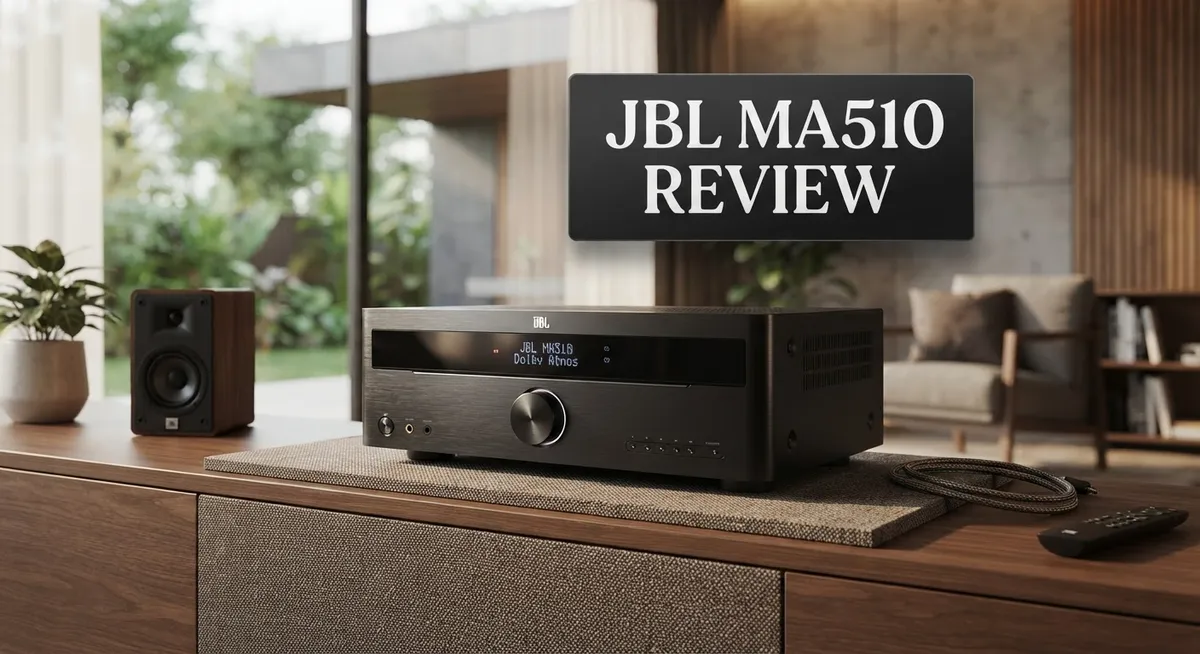
JBL MA510 Review: 5.2-Channel AV Receiver Performance and Features
Looking for a receiver that sounds bigger than it looks? The JBL MA510 might be your answer.
This 5.2 channel AV receiver packs 75W per channel with Class D amplification. It delivers clean, powerful sound for movies and music alike.
You get 8K HDMI support with eARC. That means your setup stays ready for future upgrades and top tier picture quality.
The design stands out too. Its espresso and black finish looks sleek in any living room.
Sound quality is where this receiver truly shines. Many users praise its polished, detailed audio performance. It punches above its class in everyday use.
But is it perfect? Not quite. The on screen menu feels clunky. Room correction is basic compared to higher end models.
Still, this receiver has a lot to offer. Let’s break down what makes the JBL MA510 worth considering.
In a Nutshell
Here’s the quick rundown on the JBL MA510 before you decide:
-
Connectivity is solid. You get 4 HDMI inputs and 1 output, so you can connect multiple devices without hassle.
-
Native Dolby and DTS decoding comes built in. This means you get crisp surround sound without extra gear.
-
The on screen menu feels clunky and outdated. It works, but it is not pretty to look at.
-
You must manually input speaker distances. There is no auto calibration here, so setup takes a bit more effort.
-
Room correction uses EZ Set EQ. It works fine for basic setups, but it is not as advanced as Dirac found on higher end models.
-
Power output stays modest when you drive more channels. Expect around 90W across three channels running together.
-
If you want more precision tuning, JBL’s higher end MA Series models offer Dirac compatibility for tighter room correction.
Overall, this receiver balances style and performance well. Just know its limits before you buy.
Key Features and Specifications
The JBL MA510 delivers solid technical specs that make sense for a 5.2 channel receiver. Let’s break down what you actually get under the hood.
Power and Processing
This receiver runs Class D amplification at 75W per channel. That’s your baseline figure. When you drive all channels simultaneously, the power output becomes more modest. Keep this in mind if you plan to use all five speakers plus subwoofer at high volumes regularly.
Connectivity and Format Support
You get 4 HDMI inputs and 1 output on the back panel. The real standout? Full 8K HDMI support with eARC capability. This means you can pass audio back to your soundbar or speakers without extra cables. Native Dolby and DTS decoding comes standard. You don’t need external processors for these common formats.
Room Tuning and Calibration
Here’s where things get practical. The MA510 uses EZ Set EQ for room correction. This is simpler than what you’ll find on pricier JBL models. You’ll need to manually input your speaker distances into the system. No automatic microphone calibration happens here. If you want more advanced room correction, JBL’s higher end MA Series models include Dirac compatibility for precision tuning.
Design and Interface
The espresso and black finish looks sleek on a shelf. The physical build feels solid. However, the on screen menu interface feels clunky. Navigation isn’t intuitive, and the graphics look dated. You’ll spend more time hunting through menus than you’d like.
Real World Performance
Despite these quirks, the sound quality shines through. You get polished, powerful audio with good detail across music and movies. The receiver punches above what the specs suggest on paper.
The MA510 works best for people who value sound quality over fancy features. You get solid amplification, modern connectivity, and honest performance. Just accept that the user interface won’t win any design awards.

- 5.2-channel AV receiver that delivers spectacular audio performance with 8K video for the ultimate home cinema...
- Seamless integration with smart TVs, gaming consoles, streaming, cable boxes and more with 4 HDMI inputs and...
- Native 5-channel decoding of Dolby and DTS formats.
Last update on 2026-11-09 / Affiliate links / Images from Amazon Product Advertising API
Design and Build Quality
The JBL MA510 presents a clean, modern aesthetic that fits well in contemporary home theater setups. The espresso and black finish gives it a sleek appearance on shelves or entertainment centers. The chassis feels solid without being overly heavy, which makes placement and installation straightforward for most users.
The build quality reflects practical engineering rather than premium materials. The receiver uses a compact form factor that doesn’t dominate your rack space. This matters if you have limited room for equipment. The ventilation design keeps heat management efficient during extended listening sessions.
The front panel layout keeps controls simple and accessible. You’ll find the power button, input selector, and volume knob in logical positions. The display screen shows information clearly, though the menu system behind it feels dated and clunky. Navigating settings requires patience since the interface lacks modern polish.
Connectivity placement on the rear panel follows standard conventions. All four HDMI inputs sit together for easy cable management. The single HDMI output connects to your display without fuss. Audio inputs include RCA connections for analog sources, which some users still appreciate for legacy equipment.
The build doesn’t scream premium, but it delivers reliability. The Class D amplification runs cool and stable. You won’t hear fan noise or excessive heat during normal operation. The power supply handles the 75W per channel output without strain.
Physical durability appears solid for the price segment. The materials don’t feel cheap or flimsy. Cable connections use standard connectors that grip firmly without excessive force. The overall construction suggests this receiver will serve you well for several years.
One notable design consideration is manual speaker distance input. You’ll need to measure distances yourself and enter them manually into the system. This isn’t a dealbreaker, but it requires extra effort compared to automatic calibration systems. The EZ Set EQ room correction works adequately for basic adjustments.
The MA510 prioritizes functional design over flashy aesthetics. It looks professional in any setup. The understated appearance appeals to users who prefer their equipment to blend into the background rather than dominate the visual space.
Audio Performance and Sound Quality
The MA510 delivers impressive sound that punches above its class. The 75W per channel output uses Class D amplification, which keeps things efficient while maintaining clean audio reproduction across all five channels.
When you play movies, you’ll notice the polished sound signature immediately. Dialogue stays clear and centered. Action sequences come through with good punch and detail. The receiver handles complex soundtracks without losing individual elements. Bass reproduction feels controlled rather than boomy, which works well for most room sizes.
Native Dolby and DTS decoding come standard on this unit. You get full support for modern audio formats right out of the box. This means streaming services, Blu rays, and gaming consoles all connect seamlessly without compatibility issues.
The real strength here is how the MA510 balances power and precision. Even with modest wattage per channel, the sound remains tight and focused. You won’t experience the muddy or fatiguing listening experience that cheaper receivers often produce. Instead, you get clarity that keeps you engaged during both quiet dialogue scenes and explosive moments.
One limitation appears when you drive multiple channels simultaneously. The power output becomes more modest when all speakers play at once. This matters less in smaller rooms but becomes noticeable in larger spaces. The EZ Set EQ room correction helps compensate for acoustic issues, though it’s not as advanced as systems found in higher end models.
The receiver performs best with quality speakers that can take advantage of the clean amplification. Pairing it with mid range or better speakers reveals its true capability. Budget speakers won’t necessarily shine as much with this unit.
For music playback, the MA510 shows its strengths too. Stereo listening feels refined and detailed. The Class D amplification handles different music genres without excessive harshness or compression. Jazz, classical, and rock all come through with appropriate character.
Overall, the audio performance justifies choosing this receiver. The sound quality remains consistent whether you’re watching films or listening to music. This reliability makes it a solid choice for anyone prioritizing what comes out of the speakers.
Top 3 Alternatives
Yamaha HS8 Monitor

- The information below is per-pack only
- 8 inch cone woofer and 1 inch dome tweeter; Produce low distortion sound with a well-defined bottom end at any...
- 38Hz to 30kHz frequency response; Power consumption: 60 watts

Last update on 2026-11-09 / Affiliate links / Images from Amazon Product Advertising API
The Yamaha HS8 Monitor delivers professional sound quality for studios and home setups. This speaker focuses on accurate audio reproduction. You get a 8-inch woofer paired with a 1-inch tweeter for balanced highs and lows.
The HS8 includes a room control switch that helps you adjust the sound based on your space. You can reduce bass frequencies if your room has too much low-end buildup. The speaker also features a high-frequency control option for tweaking treble levels.
These monitors work well for music production, mixing, and mastering tasks. The build quality feels sturdy and reliable. Many users appreciate the straightforward controls and consistent performance.
Kali Audio IN-8

- Music To Your Ears - Hear the tiniest details in your mix with these studio monitors. Utilizing a more...
- Tight & Clean Bass - The studio monitor's port tube allows air to leave at a consistent velocity. This makes...
- Tweaked To Perfection - Behind the studio audio monitors you'll find a set of dip switches. These let you...
Last update on 2026-11-09 / Affiliate links / Images from Amazon Product Advertising API
The Kali Audio IN-8 brings powerful performance to your production environment. This 8-inch powered monitor uses a waveguide design for improved sound dispersion. You get better audio clarity across different listening positions in your room.
The IN-8 features multiple input options, including XLR and RCA connections. The speaker handles high volumes without distortion, making it suitable for larger studio spaces. You’ll notice the responsive bass that stays tight and controlled.
Kali Audio designed this monitor with a focus on accuracy and detail. The speaker reveals mix problems clearly, helping you create better recordings. The cabinet construction prevents unwanted resonances that could color your audio.
Adam Audio T7V

- Transformative feedback for recording, producing, or mixing – The implementation of ADAM Audio’s signature...
- High resolution audio designed in Berlin – The HPS waveguide and U-ART tweeter combine to deliver detailed...
- Adjustable to fit your room – A beveled cabinet with a rear-firing bass reflex port allows placement...
Last update on 2026-11-09 / Affiliate links / Images from Amazon Product Advertising API
The Adam Audio T7V represents a mid-range solution for serious producers. This monitor combines a 7-inch woofer with Adam’s signature ribbon tweeter technology. The ribbon tweeter delivers exceptional detail in the high frequencies.
The T7V includes a flexible control panel with adjustable bass and treble settings. You can fine-tune the speaker to match your room characteristics. Multiple input options allow easy connection to various audio equipment.
This speaker excels at revealing subtle details in your mixes. The accurate sound helps you make informed mixing decisions. The T7V works well in smaller to medium-sized studios where space matters.
Connectivity and HDMI Support
The JBL MA510 brings solid HDMI connectivity to your home theater setup. You get 4 HDMI inputs and 1 output, which gives you enough ports for most entertainment devices. This setup lets you connect your streaming box, gaming console, Blu ray player, and cable box without constant cable swapping.
The real standout feature here is 8K HDMI support. Even though most content today runs at 4K, having 8K capability means your receiver won’t become outdated quickly. This forward thinking approach protects your investment as streaming services and content creators push toward higher resolutions.
The eARC feature deserves special attention. eARC enables two way audio communication between your TV and receiver. Instead of running a separate audio cable from your TV back to the receiver, the HDMI cable handles everything. This simplifies your cable management significantly and reduces clutter behind your entertainment center.
Native Dolby and DTS decoding comes built in. Your receiver processes these audio formats directly without needing external processors or soundbars to handle the work. This means cleaner signal paths and more stable audio performance across different content sources.
One thing to note: the HDMI inputs follow standard placement on the rear panel. You won’t find any front panel HDMI ports, so plan your cable runs accordingly. Most people run cables through walls or cable management systems anyway, so this rarely causes real world problems.
The MA510 handles the HDMI heavy lifting without unnecessary complications. You connect your devices, and everything works as expected. No software glitches, no compatibility headaches, just straightforward connectivity that does its job reliably.
If you stream content regularly or use multiple video sources, these HDMI options keep everything in one convenient location. The combination of multiple inputs, 8K support, and eARC makes this receiver practical for modern entertainment setups. You won’t feel limited by connectivity, even as your home theater grows over time.
Room Correction and Calibration
The JBL MA510 uses EZ Set EQ for room correction. This system helps your receiver adapt to your listening space without overwhelming complexity.
Here’s how it works in practice. The EZ Set EQ measures your room’s acoustic characteristics. It then adjusts the sound to match your specific environment. You don’t need special calibration microphones or professional setup tools.
One important detail: you must enter speaker distances manually. The receiver won’t auto-detect where your speakers sit. You’ll need to measure the distance from your listening position to each speaker and input these values yourself. This takes a few extra minutes but gives you control over the calibration process.
The calibration system focuses on essential adjustments. It handles basic room modes and reflections. Higher JBL MA Series models offer Dirac Live, which provides more advanced correction. The MA510’s EZ Set EQ keeps things straightforward and effective for most home theater setups.
What this means for your listening experience: room correction improves clarity and balance across your space. Bass response becomes more controlled. Dialogue sounds clearer. The soundstage feels more stable from different seating positions.
The manual distance input actually gives you flexibility. You can adjust these values if you rearrange furniture or add new seating areas. Some users prefer this hands on approach over fully automatic systems.
For smaller to medium sized rooms, EZ Set EQ performs admirably. It handles the fundamental acoustic challenges without requiring extensive setup. Larger rooms or spaces with unusual shapes might benefit from the advanced correction found in pricier models.
The calibration process takes roughly 10 to 15 minutes. You’ll navigate the on screen menu, which some users find visually dated. The functionality works smoothly despite the aesthetic complaints.
Bottom line: the room correction system strikes a practical balance. It’s not the most advanced option available. It delivers real improvements to your sound quality without demanding professional calibration expertise. The manual speaker distance input keeps you involved in the setup process, which many enthusiasts actually appreciate.
Pros and Cons
Pros
- Stylish espresso and black finish that looks premium on any entertainment center
- Polished, powerful sound with excellent detail across movies and music
- 8K HDMI support with eARC keeps your setup future ready
- Native Dolby and DTS decoding built in for authentic surround sound
- Clean amplification that lets quality speakers shine
Cons
- On screen menu interface feels outdated and difficult to navigate
- You must enter speaker distances manually instead of automatic detection
- EZ Set EQ room correction is basic compared to Dirac on higher end models
- Power output drops noticeably when driving multiple channels at once
Who Should Buy It
The JBL MA510 works best for home theater fans who want a straightforward receiver without unnecessary complexity. If you stream movies regularly and need multiple HDMI connections, this unit delivers what you need.
Movie lovers benefit most from this receiver. The native Dolby and DTS decoding handles surround sound authentically. You get polished, powerful audio that brings films to life with excellent detail. The 5.2 channel setup provides immersive sound without overwhelming your room.
Music enthusiasts should consider this model too. Clean amplification means quality speakers can shine through. The receiver doesn’t color the sound or add unwanted artifacts. If you care about audio clarity, this unit respects your music collection.
People with smaller to medium sized rooms find the EZ Set EQ room correction particularly useful. The manual speaker distance input actually gives you control over calibration. You spend about 10 to 15 minutes setting it up, then enjoy improved clarity and balance across your space.
This receiver suits anyone building a new home theater setup. The 8K HDMI support with eARC keeps your system future ready. Four HDMI inputs handle multiple video sources without juggling cables. Everything connects in one convenient location on the rear panel.
However, skip this model if you want premium room correction. The EZ Set EQ is basic compared to Dirac on higher end models. You won’t get automatic speaker distance detection here, which requires more hands on work during setup.
Avoid this receiver if you demand cutting edge features. The on screen menu interface feels outdated and difficult to navigate. Power output drops noticeably when driving multiple channels at once, so it works better with efficient speakers.
This unit shines for people who prioritize audio quality over fancy features. You get solid performance, clean amplification, and future ready connectivity. The stylish espresso and black finish looks premium on any entertainment center. If straightforward operation and honest sound matter more than advanced automation, the MA510 deserves your attention.
Final Verdict
The JBL MA510 delivers a lot for its price point. It blends style, power, and modern connectivity into one compact unit. This receiver proves that solid performance does not need to come with unnecessary complexity.
Sound quality remains the standout feature. The MA510 handles both movies and music with confidence. Detail and clarity shine through in every scene and song.
The design deserves recognition too. That espresso and black finish gives your entertainment center a premium look. It fits into any home theater setup without feeling out of place.
Connectivity options keep this receiver relevant for years. 8K HDMI support and eARC mean your system stays ready for future upgrades. You will not need to replace this unit as new technology arrives.
The interface issues are real but manageable. Once you set up the receiver, you rarely need to dive back into those menus. The initial setup process is the only time this drawback truly matters.
Think about your specific needs before buying. Someone who wants a simple, reliable receiver will find this model perfect. Someone who needs advanced calibration might look elsewhere.
The JBL MA510 sits in a sweet spot within its category. It offers more polish than basic budget models. It skips some premium features found on higher end options.
This receiver rewards buyers who value substance over flash. The on screen menu feels dated, but the sound output makes up for it. Most users care more about audio quality than menu aesthetics anyway.
Overall, the JBL MA510 earns its place in home theater setups. It handles core tasks well and adds a few thoughtful touches. The combination of strong audio and modern connectivity makes it a smart pick for anyone building a straightforward home theater system.
Choose this receiver if you want dependable performance without extra frills. Skip it only if advanced room correction tops your priority list.
Frequently Asked Questions
Does the JBL MA510 support 8K video?
Yes, it does. The MA510 includes 8K HDMI support with eARC functionality. This keeps your setup ready for future content and devices. You get 4 HDMI inputs and 1 output to connect all your gear.
What audio formats does this receiver decode?
The MA510 handles native Dolby and DTS decoding. This means you get authentic surround sound without extra processing. The receiver processes these formats directly, so you experience cinema quality audio at home.
How much power does the MA510 deliver?
The receiver produces 75W per channel using Class D amplification. When you drive multiple channels at once, the power output drops noticeably. For smaller to medium sized rooms, this works well. Larger spaces may need external amplifiers for optimal performance.
Is the room correction automatic?
No, it requires manual setup. You must enter speaker distances by hand instead of automatic detection. The receiver includes EZ Set EQ for basic room correction. If you want advanced calibration, higher end JBL MA models offer Dirac compatibility for more sophisticated tuning.
Who should buy the JBL MA510?
This receiver suits home theater fans who want straightforward performance. Movie lovers benefit from the polished sound and surround capabilities. Music enthusiasts appreciate the clean amplification that lets quality speakers shine. Skip this model if you need premium room correction or maximum power output for large rooms.

DK is a tech enthusiast and product reviewer dedicated to helping readers navigate the ever-evolving world of technology. With a passion for testing and comparing the latest gadgets, software, and AI tools, DK breaks down complex tech into simple, actionable insights for everyday users.


