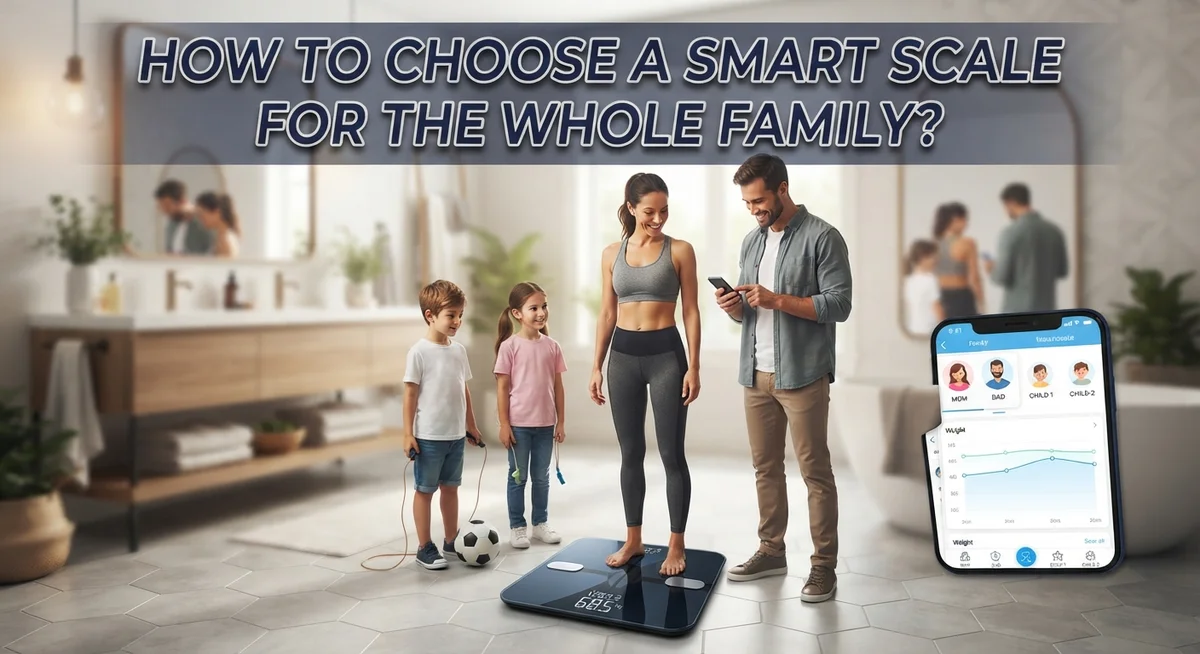
How to Choose a Smart Scale for the Whole Family?
Choosing a smart scale for your family feels tricky at first. Every family member has different goals. Some want to track weight. Others care about muscle mass or body fat.
The good news? Smart scales do more than show a number. They track BMI, body composition, and progress over time. Many sync straight to an app on your phone.
But not every scale fits every family. Multi-user support matters a lot. You need a scale that separates each person’s data. No one wants mixed up results with their partner or kids.
Privacy is another big factor. Some families prefer scales that skip the cloud entirely.
This guide walks you through everything you need to know. We will cover key features like app connectivity and accuracy. You will learn about multi-user profiles and why they matter.
We will also look at simple habits that improve your results. Think consistent weigh-ins and proper placement.
By the end, you will know exactly what to look for. Your whole family can track health goals with confidence.
In a Nutshell
Here is a quick recap of what matters most when picking a smart scale for your family.
-
Multi-user profiles matter most. Look for a scale that supports many profiles. This keeps everyone’s data separate and accurate.
-
Check body composition features. Good scales track BMI, muscle mass, and body fat. But remember, these numbers are estimates, not lab results.
-
Think about app connectivity. Some scales sync with fitness apps like Garmin. This helps if your family already uses those tools.
-
Privacy is a real concern. If your family values privacy, consider a non-connected scale instead. Some options, like the OMRON BCM-500, skip app syncing altogether.
-
Versatility can be a bonus. Certain scales, like the Wyze Scale X, handle more than just adult weight. They can measure babies, pets, and even luggage.
-
Good habits improve results. Always weigh at the same time daily. Place the scale on a hard, level surface and let it calibrate before stepping on.
Keep these points in mind. They will help you pick a scale that truly fits your family’s needs.
What Is a Smart Scale and How Does It Work?
A smart scale is a bathroom scale that connects to your phone or computer. It does far more than traditional scales. Instead of just showing your weight, it measures body composition data and sends that information to an app on your device.
Here is how it works in simple terms. You step on the scale, and it uses bioelectrical impedance analysis to measure your body. This technology sends a harmless electrical signal through your body. The scale then calculates metrics like body fat percentage, muscle mass, bone density, and BMI based on this signal.
The data syncs automatically to an app on your smartphone or tablet. You can view your progress over time with charts and graphs. Many families appreciate this feature because it tracks trends rather than just single measurements.
Smart scales store your information in the cloud. This means you can access your data from anywhere, anytime. Some scales also connect to other fitness apps and health platforms. This integration helps you see your weight data alongside your exercise and nutrition information.
Multi-user profiles are a key feature for families. Each family member gets their own profile. The scale recognizes who is standing on it and logs the data to the correct person. This prevents data from mixing up between users.
The scale remembers each person’s profile through their weight pattern or through manual selection. This keeps everyone’s health information separate and private within the app.
Smart scales require a WiFi or Bluetooth connection to work properly. Without this connection, they still function as regular scales, but you lose the app tracking benefits. Understanding these basics helps you decide if a smart scale fits your family’s needs.
Key Features to Look for in a Family-Friendly Smart Scale
When you shop for a family smart scale, several features matter most. Let’s break down what makes a scale work well for everyone in your household.
Accuracy ranks at the top of your list. Smart scales measure weight, body mass index, and body composition like muscle mass and body fat percentage. Look for scales that use bioelectrical impedance analysis, which sends a small electrical signal through your body to estimate these metrics. Remember that results can vary based on hydration levels and time of day.
Multi-user profile support is essential for families. A good scale should let each family member store their own data without mixing it up. Some scales support unlimited profiles, while others cap the number at 8 or 10. Check how the scale identifies each person. Some use automatic recognition based on weight patterns, while others require manual selection.
App connectivity and compatibility matter if your family uses fitness trackers or health apps. Verify that the scale syncs with the platforms your family already uses. Some scales work with popular ecosystems, while others operate independently.
Display readability affects daily use. Choose a scale with large, bright numbers so everyone can read results easily. Some scales show results on the device itself, while others display data only through the app.
Privacy features let you control who sees what data. Some scales offer private modes or allow you to hide certain metrics from family members.
Versatility is a bonus feature. Certain models can weigh adults, children, pets, and even luggage. This flexibility saves space and money if your family has varied weighing needs.
Multi-User Profiles: Tracking Everyone Separately
Multi-user profiles are the heart of family weight tracking. Each household member gets their own separate account on the scale’s app. This keeps everyone’s data completely independent and prevents mixing up results.
When the scale recognizes a person stepping on it, the app shows that specific user’s history. Some scales identify users by weight pattern. Others let you select your profile manually through the app before weighing. Both methods work well for most families.
The best family scales support unlimited profiles. This matters if you have guests or extended family members visiting regularly. You don’t want to delete profiles just to add new ones temporarily.
Each profile stores individual metrics separately. Weight trends appear only for that person. BMI calculations stay unique to each user. Body composition data like muscle mass and body fat percentage remain private to that profile. This separation keeps everyone’s health information secure within the household.
Privacy within profiles is important too. Some scales let you hide specific metrics from certain family members. Parents might want to track their own data without children seeing it. Teens may prefer keeping their results private from younger siblings.
The app dashboard typically shows all family members’ data in one place, but each person can access only their own profile. This gives parents an overview while respecting individual privacy. You can set permissions so only adults see sensitive information.
When choosing a scale, check how many profiles it allows. Verify that the app keeps data separate and secure. Make sure profile switching is simple and fast. A good multi-user system means your whole family can use one scale without confusion or data overlap.
Understanding Body Composition Metrics and Their Accuracy
Body composition metrics go beyond simple weight. Smart scales measure fat percentage, muscle mass, bone density, and water weight. These numbers paint a fuller picture of your family’s health than weight alone.
BMI (Body Mass Index) calculates height against weight. It’s a basic screening tool, but it doesn’t distinguish between muscle and fat. Two people at the same weight can have very different body compositions.
Fat percentage shows how much of your body is fat tissue. This matters more than weight for fitness goals. A person gaining muscle while losing fat might see stable weight but improving body composition.
Muscle mass indicates how much lean tissue you carry. More muscle supports metabolism and strength. Family members can track whether they’re building or losing muscle over time.
Bone density reveals mineral content in your bones. This matters especially for children, teens, and older adults. Smart scales estimate bone density, though they’re less accurate than medical scans.
Water weight fluctuates daily based on hydration, sodium, and hormones. Understanding water weight prevents confusion about actual fat loss or gain.
Here’s the important part: accuracy varies between brands and models. Smart scales use bioelectrical impedance analysis (BIA). This method sends a mild electrical signal through your body to estimate composition. Results can shift based on hydration levels, food intake, and where you stand on the scale.
For best results, weigh your family at consistent times, preferably mornings before eating. Use the scale on level, hard surfaces. Recognize that smart scale measurements are estimates, not medical-grade precision. They work best for tracking trends over weeks and months rather than daily changes.
Step-by-Step: Setting Up Your Smart Scale for Multiple Family Members
Setting up your smart scale for multiple family members is straightforward once you understand the basic steps. Start by placing your scale on a flat, level surface in your bathroom. Uneven floors cause measurement errors, so take a moment to verify the placement before proceeding.
Next, download the companion app to your smartphone or tablet. Most smart scales work through dedicated apps that manage all user accounts and data. Create an account using your email address and follow the app’s setup instructions to connect your scale via Bluetooth or WiFi.
Once the app is running, add each family member as a separate user profile. The app will ask for basic information like name, age, height, and gender. Entering accurate height and gender is crucial because the scale uses these details to calculate body composition metrics like BMI and fat percentage.
Here comes the important part: teach each family member how to use the scale correctly. Everyone should step on at roughly the same time each day for consistency. The scale will automatically recognize who is weighing themselves based on their weight pattern or allow manual selection through the app.
Configure privacy settings so family members see only their own data. Most apps let you choose what information appears on shared dashboards. Some families prefer complete privacy, while others enjoy seeing group progress.
Test the setup by having each person weigh themselves once. Check that their data appears correctly in their individual profile. If measurements seem off, recalibrate the scale to zero and try again.
Your smart scale is now ready for the whole family to use.
Best Practices for Consistent and Reliable Measurements
Getting consistent and reliable measurements from your family’s smart scale requires following a few simple steps. These practices help ensure everyone gets accurate data over time.
Weigh at the same time each day. The best time is early morning before eating or drinking anything. Your weight fluctuates throughout the day based on food, water intake, and activity level. Morning measurements give you the most stable baseline for tracking progress.
Place your scale on a completely level surface. Uneven floors or carpets affect measurement accuracy. A hard, flat bathroom tile or kitchen floor works best. Check that the scale sits flat with all four corners touching the ground.
Calibrate your scale to zero before each use. Most smart scales have a calibration button or automatic zero function. This step takes just seconds but significantly improves accuracy. Let the scale fully power on and stabilize before anyone steps on it.
Use the same scale for all family members. Different scales can show different weights for the same person. Stick with one device so your family’s data stays consistent.
Stand still on the scale for several seconds. The device needs time to measure body composition and stabilize the reading. Moving around or shifting your weight changes the results. Wait for the scale to confirm the measurement before stepping off.
Recognize that smart scales have limitations. They estimate body composition through bioelectrical impedance, which isn’t perfectly accurate. Factors like hydration level, time of day, and hormonal changes affect readings. Use your scale to track trends over weeks and months rather than obsessing over daily numbers.
Common Mistakes When Using a Family Smart Scale
Smart scales offer great benefits for families, but users often make mistakes that reduce accuracy and usefulness. Understanding these errors helps you get the most from your device.
Many people assume smart scales are always accurate. The truth is more complex. Body composition measurements can vary based on hydration levels, time of day, and individual factors. A scale showing different results than yesterday doesn’t mean it’s broken. Weight naturally fluctuates. Compare measurements over weeks or months instead of day to day.
Another common mistake is weighing on uneven surfaces. Carpets, tilted floors, and rugs throw off readings. Always place your scale on a hard, flat surface. This simple step improves consistency significantly.
People often forget to calibrate their scales before use. Most smart scales have a zero function. Press it before each weighing session. This resets the device and ensures accurate measurements.
Sharing one user profile among family members creates major problems. The app can’t track individual progress when multiple people use the same account. Set up separate profiles for each family member. This keeps everyone’s data organized and private.
Some families ignore the app features entirely. They weigh themselves but never check body composition metrics or trends. The app shows patterns that a single weight number cannot. Review your family’s data weekly to spot trends.
Lastly, people weigh themselves at different times each day. Morning measurements before eating give the most consistent results. Encourage your family to follow this routine. Consistency matters more than the exact number on the scale.
Avoiding these mistakes transforms your smart scale into a reliable family health tool.
Privacy Considerations for Shared Household Data
When multiple family members share a smart scale, protecting individual privacy becomes essential. Each person’s health data is sensitive, and you need to understand how your device handles this information.
Most smart scales store data in cloud servers through their companion apps. This means your weight, BMI, and body composition metrics live on company servers. Before purchasing, check what privacy policies the manufacturer offers. Read their terms carefully to understand who can access your family’s data.
Individual user profiles are your first line of defense. Each family member should have their own separate account within the app. This prevents data from mixing together and keeps everyone’s measurements independent. Make sure the scale supports unlimited profiles so every household member can have their own login.
Configure app permissions so family members see only their own information. Most smart scales let you choose visibility settings. Some allow you to hide specific metrics or restrict who views which data. Take time to adjust these settings for each user.
Consider whether you want your data synced to other health apps or ecosystems. Many smart scales connect to fitness platforms and health services. Syncing adds convenience but increases the number of places storing your information. Decide if this trade off works for your family.
Talk openly with household members about data sharing. Everyone should know what information the scale collects and where it goes. Some families prefer non connected scales or basic models without app connectivity for maximum privacy.
Check if the manufacturer encrypts data during storage and transfer. Encryption protects information from unauthorized access. Ask customer support directly about their security measures if the privacy policy seems unclear.
Final Thoughts
Choosing a smart scale for your family does not need to feel overwhelming. Start by thinking about what your family actually needs. A big household with kids and pets needs different features than a couple living alone.
Multi-user support matters most for families. Look for scales that offer unlimited profiles. This keeps everyone’s data separate and accurate.
Accuracy is important, but perfect precision is not always possible. Body composition numbers can vary between devices. Focus on tracking trends over time instead of obsessing over exact numbers.
Think about versatility too. Some scales handle more than just human weight. Options like the Wyze Scale X can weigh babies, pets, and even luggage. This adds value for growing families.
If your family already uses a fitness ecosystem, check compatibility first. A scale that syncs with Garmin or similar platforms saves time and effort. It also keeps all your health data in one place.
Privacy deserves real consideration. If your family values simplicity over data sharing, a non-connected scale works well. The OMRON BCM-500 offers a solid option for those who want basic tracking without app complexity.
Every family has different priorities. Some want detailed app features and cloud tracking. Others want quick, private results with no fuss.
Take time to list what matters most to your household. Is it accuracy? App features? Multiple profiles? Privacy protection?
Once you know your priorities, narrow your choices easily. The right smart scale supports your family’s health goals without adding stress. Choose wisely, and it becomes a helpful tool for years to come.
Frequently Asked Questions
Can a smart scale work for babies and pets too?
Yes, some smart scales offer multi-purpose functionality. Certain models can weigh babies, pets, and even luggage in addition to adults. This versatility makes them useful for families with young children or multiple pets.
The key is checking the scale’s weight range and measurement modes before buying. Not all smart scales have these extra features, so read the specifications carefully.
How many user profiles can one smart scale support?
Most modern smart scales support multiple user profiles. Many allow unlimited profiles, while others cap out at 8 to 10 users. This means each family member gets their own separate account and data tracking.
Individual profiles are essential for families. They prevent data mixing and let everyone track their own progress independently through the app.
What if my family values privacy over app features?
Some families prefer not to use cloud storage or app connectivity at all. Non-connected scales exist as a simple alternative. Other options include basic scales with minimal data collection.
You can also use a smart scale without connecting it to the app. Just weigh yourself and record the number manually if you prefer offline tracking.
Should I buy a scale that connects to my fitness ecosystem?
Check compatibility if your family already uses fitness apps or wearables. Many smart scales sync with popular health platforms. This integration can streamline your family’s wellness tracking.
However, compatibility is not required. A standalone scale works perfectly fine if your family doesn’t need ecosystem integration.
Why do smart scale readings sometimes differ?
Body composition measurements can vary between different devices and even between consecutive weighings. Factors like hydration, time of day, and surface placement affect results.
Weigh yourself at consistent times on level surfaces for the most reliable comparisons. Remember that smart scales provide helpful trends, not absolute precision.

DK is a tech enthusiast and product reviewer dedicated to helping readers navigate the ever-evolving world of technology. With a passion for testing and comparing the latest gadgets, software, and AI tools, DK breaks down complex tech into simple, actionable insights for everyday users.