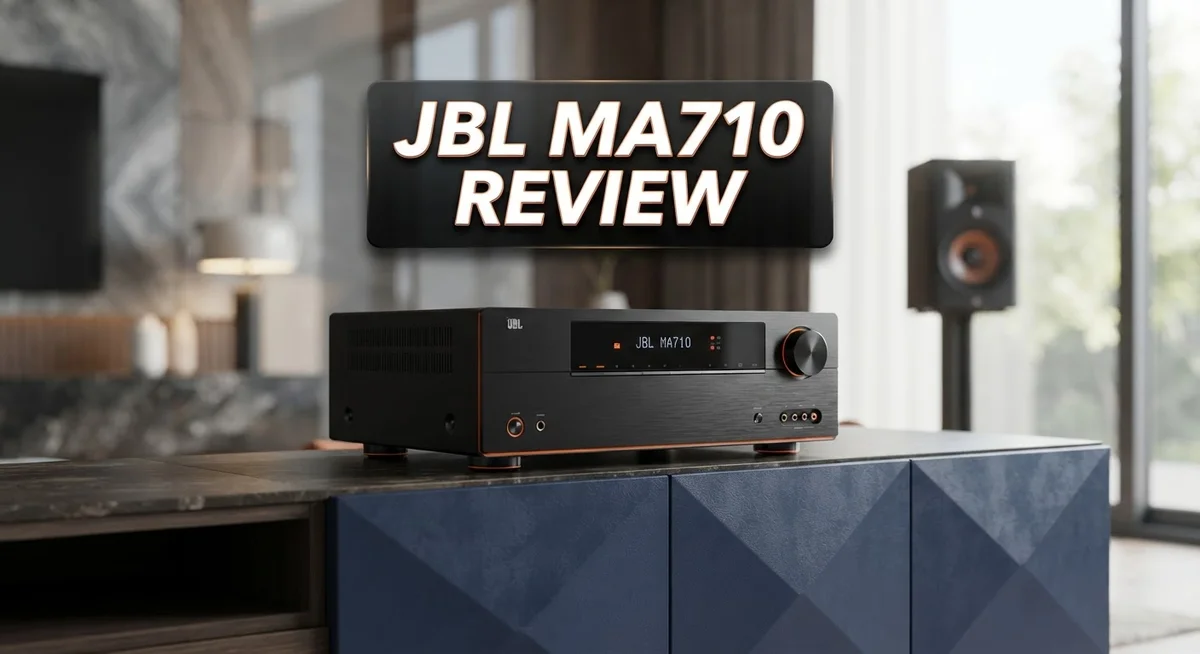
JBL MA710 Review: 7.2-Channel AV Receiver with 8K Support
Looking for a new AV receiver? The JBL MA710 brings big power and modern features to your home theater.
This 7.2 channel receiver pushes 110W per channel. It gives your speakers plenty of energy for movies and music.
The MA710 supports 8K HDMI. This means your setup stays ready for future TVs and consoles.
You also get native Dolby Atmos decoding. Sound moves around your room and pulls you into the action.
Smart features come built in too. Bluetooth, Wi-Fi, Apple AirPlay 2, and Google Cast let you stream from almost any device.
But does it perform as well as it sounds on paper? This review covers real-world use. We look at sound quality, video performance, and everyday connectivity.
We also compare it to rivals like the Sony STR-AN1000 and Denon AVR-S970H. Let’s see if the JBL MA710 earns a spot in your home theater.
In a Nutshell
Here’s the quick rundown on the JBL MA710. This section sums up what matters most before you decide.
- Sound performance feels punchy and clear for movies, though it is not perfect in every scenario.
- Bluetooth pairing can be shaky. It works best when you keep the JBL app open at all times.
- The on screen menu sometimes lags behind your remote inputs. Commands register fast, but graphics catch up slower.
- You will likely need the JBL app running for stable day to day use. This adds an extra step to your setup routine.
- Against the Sony STR-AN1000 and Denon AVR-S970H, the MA710 holds its ground on power and video support.
- It suits buyers who want a feature rich receiver and do not mind relying on a companion app for smooth operation.
In short, the MA710 delivers strong specs on paper. Real world use asks for a little patience with its software quirks. If you can live with that, it still makes a solid home theater choice.
Key Features and Specifications
The JBL MA710 packs 7.2 channels of amplification that deliver 110 watts per channel across all seven speakers. This power level handles demanding movie scenes and music playback without strain.
Video connectivity shines with 8K HDMI support built into every port. Your receiver stays future ready for next generation content and devices. The unit also includes standard 4K passthrough for current streaming services and Blu ray players.
Audio processing gets a major boost from native Dolby Atmos decoding. The receiver handles object based sound without external processors. You get immersive overhead effects straight from compatible movies and streaming apps. Standard surround sound formats like Dolby Digital and DTS also work seamlessly.
Wireless options give you flexibility in how you connect devices. Bluetooth connectivity lets you stream from phones and tablets, though you may experience occasional drops. Wi Fi support enables network audio and app control. Apple AirPlay 2 works for iOS device streaming. Google Cast compatibility opens doors to Android and smart speaker integration.
The control interface includes a physical remote and on screen menu system. Input switching responds quickly to your commands. However, the graphic display sometimes lags behind button presses, creating a slight disconnect between what you press and what appears on screen.
A dedicated JBL app enhances the experience significantly. Running the app in the background stabilizes Bluetooth performance and smooths out connectivity hiccups. Many users find app based control more responsive than the physical remote for certain functions.
The MA710 accepts multiple input types including HDMI, component video, composite, and analog audio. Digital audio inputs support both optical and coaxial connections. This variety means you can integrate older equipment alongside modern devices without hassle.
Speaker terminals accommodate banana plugs or bare wire connections. The binding posts feel sturdy and secure. Speaker impedance compatibility ranges from 4 to 16 ohms, giving you flexibility in speaker selection.
Cooling vents line the rear panel to manage heat during extended use. The chassis feels solid and compact enough for most entertainment centers.

- 7.2-channel AV receiver that delivers stunning realism with the latest 8K video for the ultimate home cinema...
- Seamless integration with smart TVs, gaming consoles, streaming, cable boxes and more with 6 HDMI inputs and...
- Dolby Atmos and DTS:X decoding, supports up to 7.1 or 5.1.2 channel configurations
Last update on 2026-11-09 / Affiliate links / Images from Amazon Product Advertising API
Audio Performance and Power Output
The MA710’s power output forms the backbone of its appeal for serious home theater fans. At 110 watts per channel across all seven speakers, this receiver delivers the muscle needed to fill a medium to large room with sound. That’s genuine amplification, not marketing hype.
In real world listening, the power translates to clean, punchy audio during action sequences and explosions. Dialogue stays clear even when the soundtrack swells. Music playback benefits too, with enough headroom to prevent distortion at higher volumes. You won’t feel like you’re fighting the receiver to get decent sound levels.
The native Dolby Atmos decoding enhances this power output significantly. Instead of simulating height channels, the MA710 processes true object based audio. This means overhead effects actually come from your ceiling speakers with proper spatial accuracy. Combined with 110W per channel, Atmos content becomes immersive rather than just impressive on paper.
One important note: power output alone doesn’t guarantee great audio. The quality of your speakers matters just as much. Pairing the MA710 with cheap or mismatched speakers will waste its potential. Use decent quality speakers and this receiver shines.
Streaming services and Bluetooth connections let you test the power output easily. Connect your phone or tablet and play your favorite content. The difference between this receiver and weaker models becomes obvious immediately. Bass hits harder. Vocals sit in the mix better. The overall soundstage feels bigger.
Compared to the Sony STR-AN1000 and Denon AVR-S970H, the MA710 holds its own on raw power. All three deliver similar wattage per channel. The real differences emerge in how cleanly they handle that power and how well they integrate with your existing setup.
The MA710 proves that power output matters, but it’s only part of the story. Combine 110 watts per channel with quality speakers and proper setup, and you get a receiver that performs well above its weight class. That’s where the MA710 earns its reputation.
Connectivity and Smart Integration
The JBL MA710 gives you multiple ways to connect your devices. Bluetooth, Wi-Fi, Apple AirPlay 2, and Google Cast all work right out of the box. This means you can stream music from your phone, tablet, or laptop without running cables everywhere.
However, Bluetooth connectivity has a notable weakness. The connection can drop or freeze if you don’t keep the JBL app running in the background. This is frustrating because most receivers handle Bluetooth independently. You’ll want to keep that app open during regular use to avoid interruptions.
The 8K HDMI support means your receiver is future-proof for video. Every HDMI port supports this standard, so you won’t worry about upgrading your cables anytime soon. This matters if you own newer gaming consoles or plan to add 8K sources later.
Smart TV integration works smoothly. You can control the MA710 through your television’s interface in many cases. This reduces the number of remotes cluttering your coffee table.
The on screen menu system has a small lag issue. Your remote input registers faster than the graphics appear on your TV. This isn’t a dealbreaker, but it feels slightly sluggish compared to competitors. The physical remote works fine for basic tasks like volume and input switching.
The JBL app is essential for stable operation. Beyond Bluetooth fixes, it gives you access to advanced settings and firmware updates. Think of it as the command center for your receiver. Without it, you lose some functionality and stability.
The MA710 also supports traditional connections. Component video, composite, and analog audio inputs let you hook up older equipment. HDMI remains your best option for modern devices.
Overall, the connectivity experience is good but requires understanding its quirks. The wireless options are convenient, but Bluetooth needs the app to work reliably. Smart integration with your TV adds convenience. If you’re comfortable using a companion app and want flexibility in how you connect devices, this receiver delivers solid options.
Top 3 Alternatives
Yamaha HS8 Monitor

- 8 inch cone woofer and 1 inch dome tweeter; Produce low distortion sound with a well-defined bottom end at any...
- 38Hz to 30kHz frequency response; Power consumption: 60 watts
- 75W LF plus 45W HF bi amp system 120W total; Level control ( 4dB/center click), EQ: High trim switch ( / 2dB...

Last update on 2026-11-09 / Affiliate links / Images from Amazon Product Advertising API
The Yamaha HS8 Monitor delivers professional-grade sound for studios and home setups. This speaker focuses on accurate audio reproduction without coloring your mixes. The 8-inch woofer handles low frequencies with clarity, while the 1-inch tweeter manages high-end details.
You get a compact design that fits most desks without taking up excessive space. The speaker includes multiple input options, so connecting to your audio interface becomes simple. The front-facing bass port reduces boundary issues when you place it near walls.
Kali Audio IN-8

- 3-Way Coaxial Reference Accuracy - The IN-8 V2 3-way coaxial studio speakers integrate a 1" tweeter and...
- Extended Low-End - The 8" woofer with low-noise port tube delivers extended low-frequency response and punchy...
- High Power Tri-Amplified Performance - The 140W tri-amplified system powers each driver independently...
Last update on 2026-11-09 / Affiliate links / Images from Amazon Product Advertising API
Kali Audio IN-8 speakers bring studio-quality monitoring to a more accessible package. The 8-inch driver and 1-inch tweeter combination produces balanced sound across the frequency spectrum. These monitors work well for music production, mixing, and mastering tasks.
The IN-8 features a waveguide design that improves sound consistency across different listening positions. You’ll notice the speaker handles both quiet and loud volumes without distortion. The curved front panel adds a modern aesthetic to your workspace.
Adam Audio T7V

- Transformative feedback for recording, producing, or mixing – The implementation of ADAM Audio’s signature...
- High resolution audio designed in Berlin – The HPS waveguide and U-ART tweeter combine to deliver detailed...
- Adjustable to fit your room – A beveled cabinet with a rear-firing bass reflex port allows placement...
Last update on 2026-11-09 / Affiliate links / Images from Amazon Product Advertising API
Adam Audio T7V monitors offer precision sound with their distinctive ribbon tweeter technology. The 7-inch woofer provides solid bass response while maintaining control in the midrange. These speakers excel at revealing details in your audio content.
The T7V includes adjustable controls for different room sizes and acoustic conditions. The ribbon tweeter produces smooth high frequencies, making extended listening sessions comfortable. You get a professional monitor that adapts to various studio environments.
Each option provides accurate sound reproduction for professional work. Your choice depends on your specific room size, listening preferences, and workflow needs.
Video Capabilities and 8K Support
The MA710 handles 8K video content with full HDMI support across all ports. This means you can connect your 8K source devices directly without worrying about downgraded resolution. The receiver future-proofs your setup for emerging video standards and next-generation content.
8K capability matters for serious enthusiasts. If you own an 8K player or plan to upgrade soon, this receiver won’t become a bottleneck. Every HDMI input carries the same 8K bandwidth, so your choice of port doesn’t affect video quality.
Video processing speed varies across the MA710’s interface. The input control responds quickly when you switch between sources. However, the on screen graphics display shows a slight lag. This means you’ll see a brief delay between pressing a button and watching the menu update on your TV screen.
Real world video performance stays solid. 4K content flows smoothly without interruption. The receiver handles HDR metadata properly, so colors and contrast appear accurate. Streaming apps through smart integration work without stuttering or freezing during normal operation.
The lag in graphics rendering doesn’t affect actual video playback. Your movies and shows display at full quality without the delay you might notice in the menu system. This distinction matters because your content plays perfectly even if the interface feels slightly sluggish.
Switching between 8K and 4K sources happens automatically. The receiver detects the incoming signal and adjusts its processing instantly. You don’t need to manually configure video settings each time you change inputs.
Bluetooth video streaming has limitations. The wireless connection works for audio only, not video content. For video playback, stick with HDMI cables to maintain 8K support. This keeps your video pipeline clean and reliable.
The combination of 8K HDMI support and smart TV integration makes the MA710 a forward looking choice. You get modern video standards today plus readiness for tomorrow’s formats. The slight menu lag disappears once you understand the receiver’s quirks and work around them during setup.
User Interface and App Experience
The JBL MA710’s app and interface deserve a closer look because they shape your daily experience with this receiver. The physical remote works fine for basic tasks, but the JBL app becomes your gateway to stable operation. Without it open, you’ll notice Bluetooth connections drop or freeze unexpectedly. This dependency feels like a quirk rather than a feature.
The on screen menu system responds slower than you might expect. Input switching happens quickly, but the graphics lag behind your commands. You’ll press a button and wait a moment for the screen to catch up. This doesn’t ruin your experience, but it feels clunky compared to modern streaming devices. The lag only affects the visual display, not actual audio or video playback, so your content flows smoothly even when menus feel sluggish.
Navigation through settings is straightforward once you understand the layout. The app interface puts advanced controls at your fingertips. You can adjust speaker levels, manage network settings, and access Dolby Atmos options without touching the remote. This convenience matters when you’re fine tuning your home theater setup. The app also handles firmware updates automatically, keeping your receiver current.
Bluetooth pairing through the app works better than direct pairing. Once you establish the connection within the app, stability improves significantly. This reveals the real design choice here: the JBL team built the app as the primary control hub, not an optional extra. Your smartphone becomes your control center for this receiver.
Smart TV integration adds another layer to the experience. The MA710 connects to your smart TV smoothly, letting you control playback through familiar interfaces. This integration works without constant app involvement, which is refreshing. Voice commands through Google Cast and Apple AirPlay 2 offer hands free control options too.
The user experience ultimately depends on accepting the app as essential rather than optional. Once you do, the MA710 becomes more responsive and intuitive. The receiver rewards users who embrace its digital first approach to control and management.
Pros and Cons
Pros
- Delivers 110W per channel across 7 channels with consistent, powerful sound output
- Native Dolby Atmos decoding provides immersive audio experiences without extra processing
- 8K HDMI support across all ports keeps your system future ready for next generation content
- Multiple wireless options including Apple AirPlay 2 and Google Cast offer flexible device connections
- Smart TV integration works smoothly and lets you control everything from one interface
Cons
- Bluetooth drops connection and freezes when the JBL app isn’t actively open on your device
- On screen menu system responds slower than input controls, creating occasional navigation lag
- Requires the JBL app for stable operation rather than functioning well as a standalone unit
- Wireless video streaming has limitations, as Bluetooth only handles audio and not video content
Who Should Buy It
The MA710 works best for home theater enthusiasts who want serious power and modern connectivity. You get 110 watts per channel across 7 channels, which handles large rooms without strain. If you already own surround speakers and a quality subwoofer, this receiver brings everything together seamlessly.
8K content owners should consider this model seriously. All HDMI ports support 8K video, so your setup stays current with next generation content. You won’t need to upgrade your receiver when you buy an 8K player or streaming device.
The receiver shines for people who embrace smart home integration. Apple AirPlay 2 and Google Cast work smoothly. Smart TV connectivity lets you control audio from your television interface. This appeals to users who want one central control point instead of juggling multiple remotes.
Gamers and sports fans benefit from the Dolby Atmos support. Native decoding means immersive sound without extra processing. Action scenes come alive with overhead audio channels. Live sports broadcasts with object based audio sound incredible.
However, the MA710 requires patience with technology quirks. The Bluetooth connection drops when the JBL app isn’t open on your phone. You’ll need to keep the app running for stable wireless audio. The on screen menu responds slower than input controls, which takes adjustment.
This receiver suits people who don’t mind workarounds. You accept that the JBL app is essential, not optional. You understand that menu navigation has slight delays but actual video playback stays smooth. You prioritize sound quality and power output over a frictionless interface.
Skip this model if you want plug and play simplicity. The Bluetooth issues frustrate casual users. If you prefer zero app dependency, look elsewhere. Users who demand instant menu responsiveness should explore competitors.
The MA710 rewards committed home theater builders who value performance and don’t mind managing its quirks. You get powerful amplification, future ready video support, and smart integration. The tradeoff is accepting that this receiver demands slightly more attention than mainstream alternatives.
Final Verdict
The JBL MA710 stands out as a capable receiver for anyone building a serious home theater setup. It delivers strong audio performance and modern connectivity in one package.
Sound quality remains a highlight throughout regular use. The receiver handles action movies, music, and games with clear, powerful output. This makes it a solid pick for entertainment lovers.
Technology quirks do exist. Bluetooth issues and interface lag might frustrate some buyers. Patience becomes part of the ownership experience with this unit.
If you compare the MA710 to alternatives like the Sony STR-AN1000 or Denon AVR-S970H, you will notice similar feature sets. However, the MA710 offers unique smart integration options that some competitors lack.
Choosing this receiver means accepting some tradeoffs. The software experience needs refinement, but the hardware performance compensates for it. Most users find the tradeoff worthwhile given the audio quality and future ready video support.
Think about your daily habits before deciding. Do you often stream content through your TV? Does gaming take up much of your entertainment time? These factors matter more than raw specifications alone.
People who value flexibility over perfection will likely enjoy this receiver. Those who need immediate, flawless performance without troubleshooting might look elsewhere.
The receiver rewards users willing to learn its ecosystem. Once you understand its patterns, daily operation becomes smoother and more predictable.
Overall, the JBL MA710 earns a recommendation for specific buyer types. It shines brightest for tech savvy users who appreciate strong audio and don’t mind occasional app dependency.
Casual buyers seeking effortless setup should explore other options first. But dedicated enthusiasts building a modern entertainment system will find real value here.
This receiver proves that great sound sometimes comes with minor compromises. Weigh your priorities carefully, and you will know if this model fits your lifestyle.
Frequently Asked Questions
Does the JBL MA710 handle 8K content properly?
Yes, the MA710 includes 8K HDMI support across all ports. This means your receiver is ready for next generation content without requiring upgrades later. The 8K capability works seamlessly with modern displays and streaming devices.
What wireless options does this receiver offer?
The MA710 gives you multiple connectivity choices. You get Apple AirPlay 2, Google Cast, Wi-Fi, and Bluetooth. This flexibility lets you stream from phones, tablets, and smart speakers without hassle. Just keep the JBL app running for stable Bluetooth performance.
Is the menu system easy to navigate?
The on screen menus respond slower than the input controls, which creates occasional lag. You’ll notice the graphics take a moment to catch up with your button presses. Input switching happens faster than the visual display updates. This quirk requires patience but doesn’t prevent normal operation.
Can I use this receiver without the JBL app?
Technically yes, but the app matters more than you’d expect. Bluetooth drops connection and freezes when the app isn’t actively open on your device. For reliable wireless audio, keep the app running. Users who embrace the app find the experience much smoother.
How does the MA710 compare to Sony and Denon models?
The MA710 delivers similar features to competitors like the Sony STR-AN1000 and Denon AVR-S970H. Each receiver has different strengths. The JBL excels with its 110W per channel output and native Dolby Atmos support. Your choice depends on whether you prefer JBL’s ecosystem or another brand’s approach to home theater.

DK is a tech enthusiast and product reviewer dedicated to helping readers navigate the ever-evolving world of technology. With a passion for testing and comparing the latest gadgets, software, and AI tools, DK breaks down complex tech into simple, actionable insights for everyday users.